AI Models & Providers
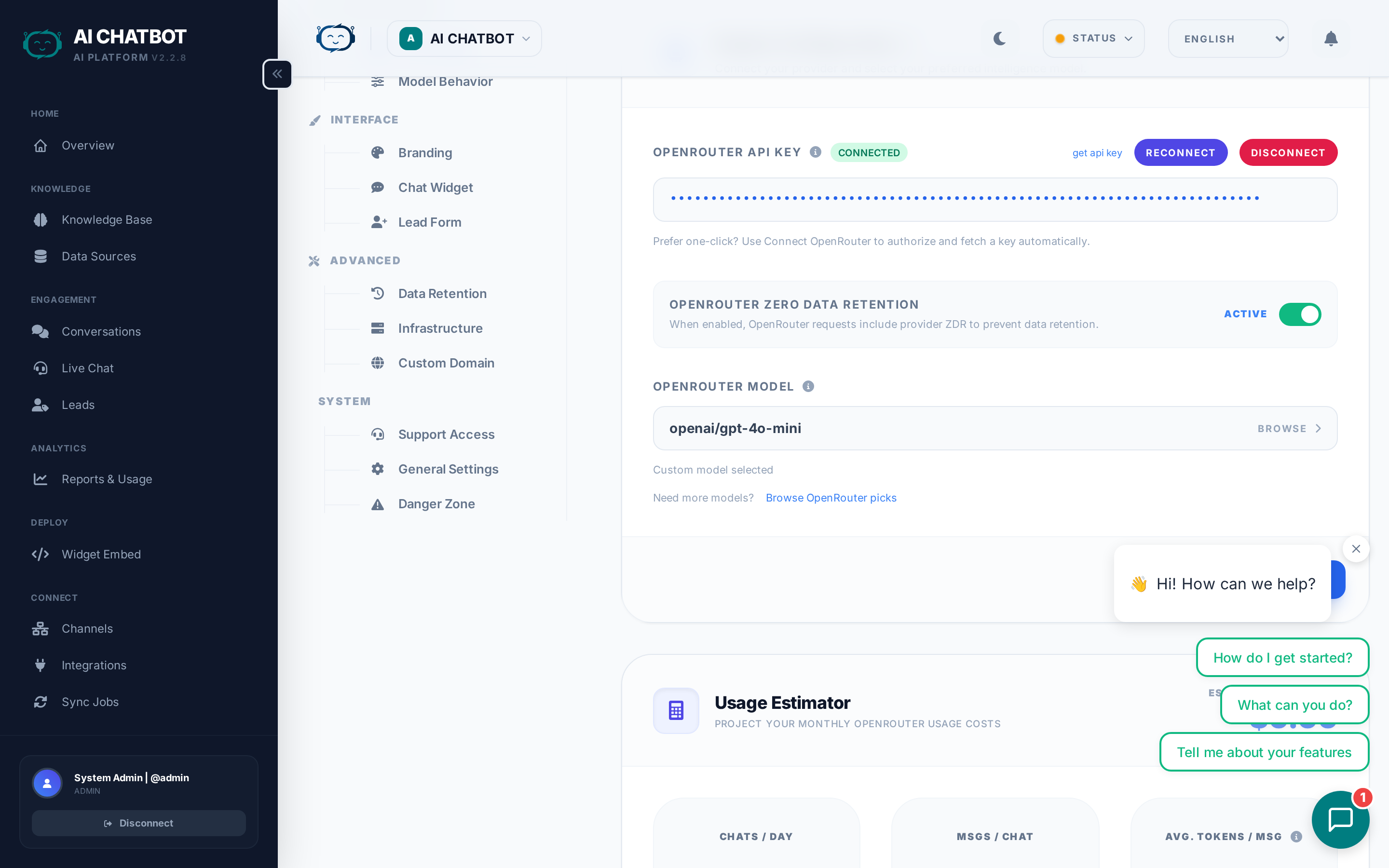
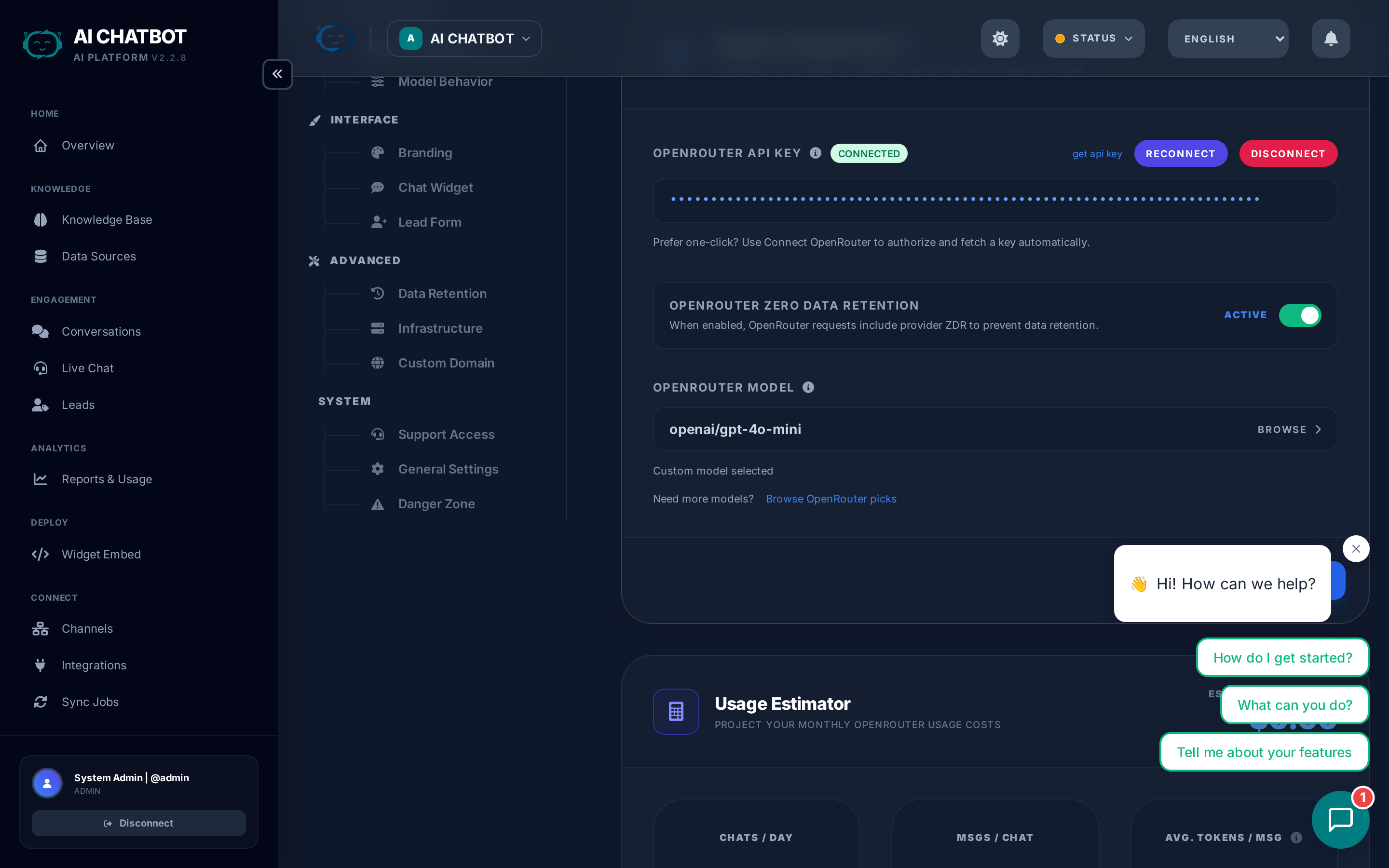
FRENZY.BOT gives you access to 40+ curated AI models through OpenRouter — hand-picked from thousands of available options. Instead of dumping every experimental release into your dashboard, we select only production-ready models that meet strict quality standards.
How to connect your AI provider
- Go to Settings → AI Engine.
- Click Connect OpenRouter (OAuth flow).
- Authorize the application when prompted.
- Your API key is stored securely in the database — not in config files.
That's it. You can now select any model from the dropdown.
Alternative: API Key
If you prefer not to use OAuth, you can paste an OpenRouter API key directly. Go to openrouter.ai, generate a key, and enter it in Settings → AI Engine.
How to choose a model
Open Settings → AI Engine and use the model selector dropdown. Each model shows:
- Model name and provider (e.g., Claude 3.7 Sonnet by Anthropic)
- Context window size (how much text the model can process at once)
- Relative cost tier (budget, standard, premium)
Which model should I pick?
| Use case | Recommended models | Why |
|---|---|---|
| General customer support | Claude Sonnet 4.6, GPT-4.1, Gemini 2.5 Flash | Fast, reliable, cost-effective with latest models |
| Complex reasoning & analysis | Claude Opus 4.6, GPT-5.2, Gemini 3 Pro, DeepSeek R1 | Superior accuracy on difficult questions with cutting-edge reasoning |
| Budget-conscious / high volume | DeepSeek V3.1, GPT-5 Nano, Gemini 2.5 Flash Lite | Excellent quality at a fraction of the cost |
| Massive documents (100k+ words) | Grok 4.1 Fast, Claude Opus 4.6, Gemini 2.5 Pro | Up to 2M token context windows |
| Real-time chat (lowest latency) | Gemini 2.5 Flash, Claude 3.5 Haiku, GLM 4.7 Flash | Sub-second response times |
| Coding & technical tasks | Qwen3 Coder, MiniMax M2.5, GPT-5.2 | Specialized for programming and technical problem-solving |
The Big Three providers
Anthropic (Claude)
- Strengths: Superior reasoning, natural dialogue, excellent at following instructions.
- Best for: Customer support, content generation, complex Q&A.
- Models: Claude Opus 4.6, Claude Sonnet 4.6, Claude Sonnet 4, Claude Haiku 4.5.
OpenAI (GPT)
- Strengths: Industry-standard reliability, massive ecosystem, consistent performance.
- Best for: General-purpose AI, tool use, structured outputs.
- Models: GPT-5.2, GPT-5.1, GPT-5, GPT-4.1, o3, o4 Mini.
Google (Gemini)
- Strengths: Massive context windows (up to 1M+ tokens), strong multimodal capabilities.
- Best for: Analyzing large documents, long conversations, image understanding.
- Models: Gemini 3 Pro, Gemini 2.5 Pro, Gemini 3 Flash, Gemini 2.5 Flash.
Specialized models
| Provider | Models | Best for |
|---|---|---|
| xAI (Grok) | Grok 4.1 Fast, Grok 4 Fast, Grok 3 Mini | Massive context windows, high-speed performance |
| DeepSeek | DeepSeek V3.2, DeepSeek V3.1, DeepSeek R1 | GPT-5 level intelligence at budget pricing |
| Mistral | Mistral Medium 3.1, Mistral Small 3.2 | European AI with strong multilingual support |
| Meta (Llama) | Llama 4 Maverick, Llama 4 Scout | Open-weights transparency, robust performance |
| MiniMax | MiniMax-01, MiniMax M2.5, MiniMax M2.1 | Coding excellence, strong technical performance |
| Qwen | Qwen3 Max, Qwen3 Coder, Qwen3.5 397B | Advanced reasoning, specialized coding tasks |
| Z.ai | GLM 5, GLM 4.7, GLM 4.7 Flash | Cost-effective performance, good multilingual support |
Our 4-pillar selection criteria
Every model in FRENZY.BOT is evaluated against four requirements before it's added to the platform:
- Reliability — Minimum uptime and consistency. No experimental or unstable models that might fail mid-conversation.
- Context window — 128k+ tokens preferred. Long context means the bot can reference more of your knowledge base in a single response.
- Intelligence-to-cost ratio — We prioritize models that deliver strong quality without unnecessary cost. DeepSeek and GPT-4o Mini are prime examples.
- Low latency — Flash and Fast variants are specifically included for real-time customer-facing chat where every second matters.
New models added fast
When a major provider releases a new state-of-the-art model, we evaluate and add it within 24 hours of stable release. You always have access to the latest and best.
Zero Data Retention (ZDR)
FRENZY.BOT supports per-request Zero Data Retention enforcement through OpenRouter.
What this means:
- When ZDR is enabled, your prompts and responses are never stored by the AI provider.
- Your data is never used for model training.
- This is enforced at the API level via OpenRouter's
provider.zdr: trueparameter.
How to enable ZDR:
- Go to Settings → AI Engine.
- Enable the Zero Data Retention toggle.
- All subsequent requests will include the ZDR flag.
ZDR model compatibility
Not all models support ZDR. When enabled, FRENZY.BOT automatically routes requests only to providers that honor zero data retention policies. Check OpenRouter's ZDR documentation for the current list.
Model behavior settings
Beyond choosing a model, you can fine-tune how it responds:
Temperature
Controls creativity vs. precision.
- Low (0.1–0.3): Factual, deterministic answers. Best for support and policy questions.
- Medium (0.4–0.7): Balanced. Good default for most use cases.
- High (0.8–1.0): Creative, varied answers. Best for brainstorming or casual chat.
Top-P
Another control for response diversity. Works alongside temperature.
- Lower values: More focused, predictable responses.
- Higher values: Wider range of word choices.
Max tokens
Limits how long responses can be. Set this based on your use case:
- Short answers (256–512): Quick FAQ-style responses.
- Medium (1024–2048): Standard support conversations.
- Long (4096+): Detailed explanations or technical content.
System prompt
The global instructions that shape every response. This is where you define:
- The bot's personality and tone
- What it should and shouldn't discuss
- How it should handle specific topics
- Language and formatting preferences
Path: Settings → Model Behavior → Global System Prompt
Keep your system prompt focused
The best system prompts are short, clear, and policy-focused. Avoid long, rambling instructions — they dilute the model's attention and waste tokens.
Switching or disconnecting providers
To switch models
Simply select a different model from the dropdown in Settings → AI Engine. The change takes effect immediately for new conversations.
To disconnect OpenRouter
- Go to Settings → AI Engine.
- Click Disconnect.
- The bot will stop responding to questions until a new provider is connected.
When to disconnect
- Rotating API keys for security.
- Switching to a different provider account.
- Temporarily disabling AI responses during maintenance.
FAQ
Q: The AI stopped responding after I changed models.
- Some models may be temporarily unavailable. Switch to a different model and check OpenRouter's status page.
Q: Responses are too long / too short.
- Adjust Max Tokens in Settings → Model Behavior. Also review your system prompt for length instructions.
Q: How much does each model cost?
- Pricing is set by the model provider through OpenRouter. Check openrouter.ai/models for current per-token pricing. FRENZY.BOT adds no markup.
Q: Can I use my own self-hosted model?
- Not currently. FRENZY.BOT uses OpenRouter as the unified gateway. If your self-hosted model is available through OpenRouter, it will work.